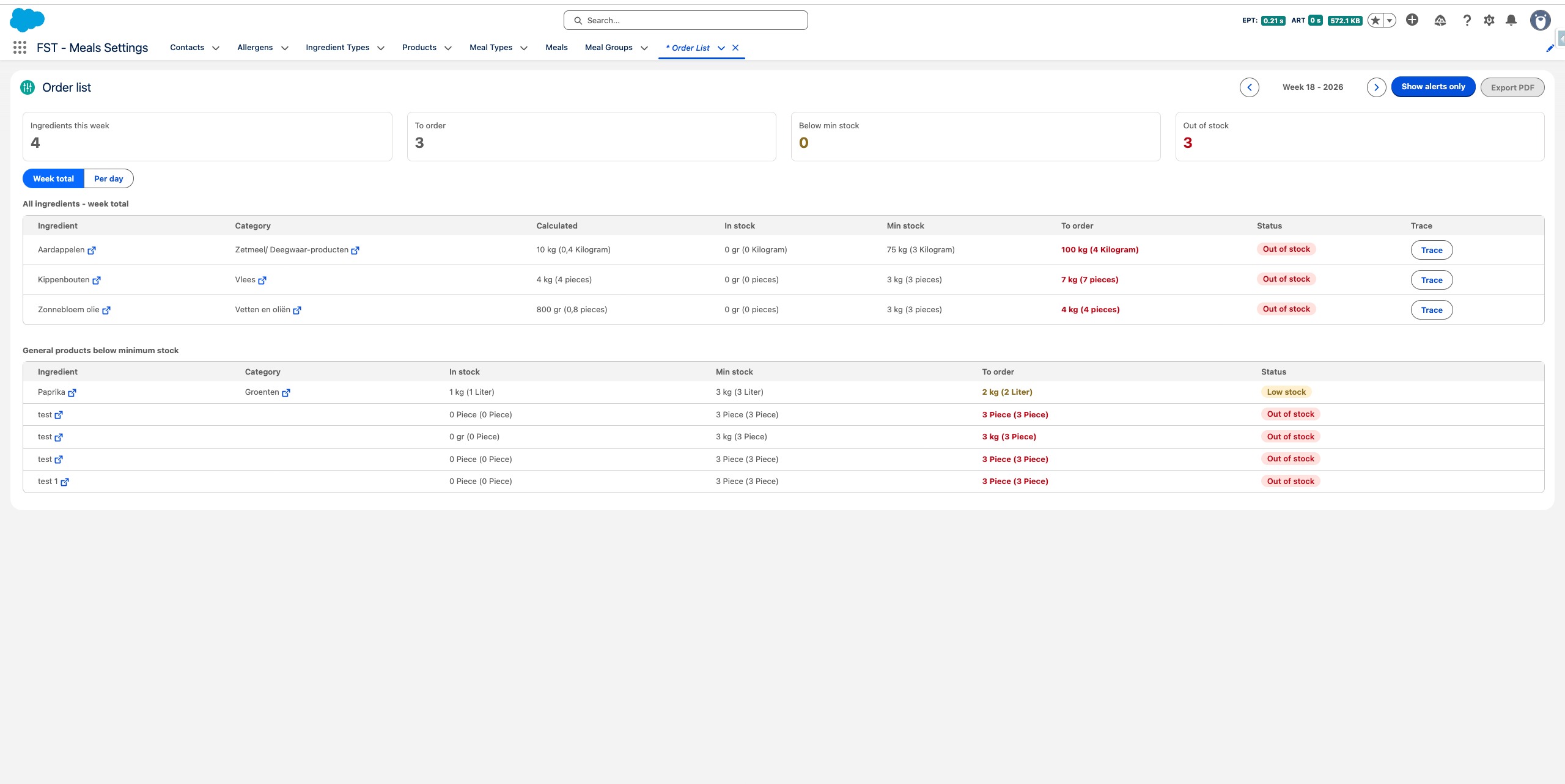
Bestellijst
Leer hoe je de Bestellijst kunt gebruiken om wekelijks de benodigde ingrediënten te monitoren, de voorraadniveaus op alle locaties bij te houden en snel te identificeren wat opnieuw besteld moet worden — alles in één overzicht.
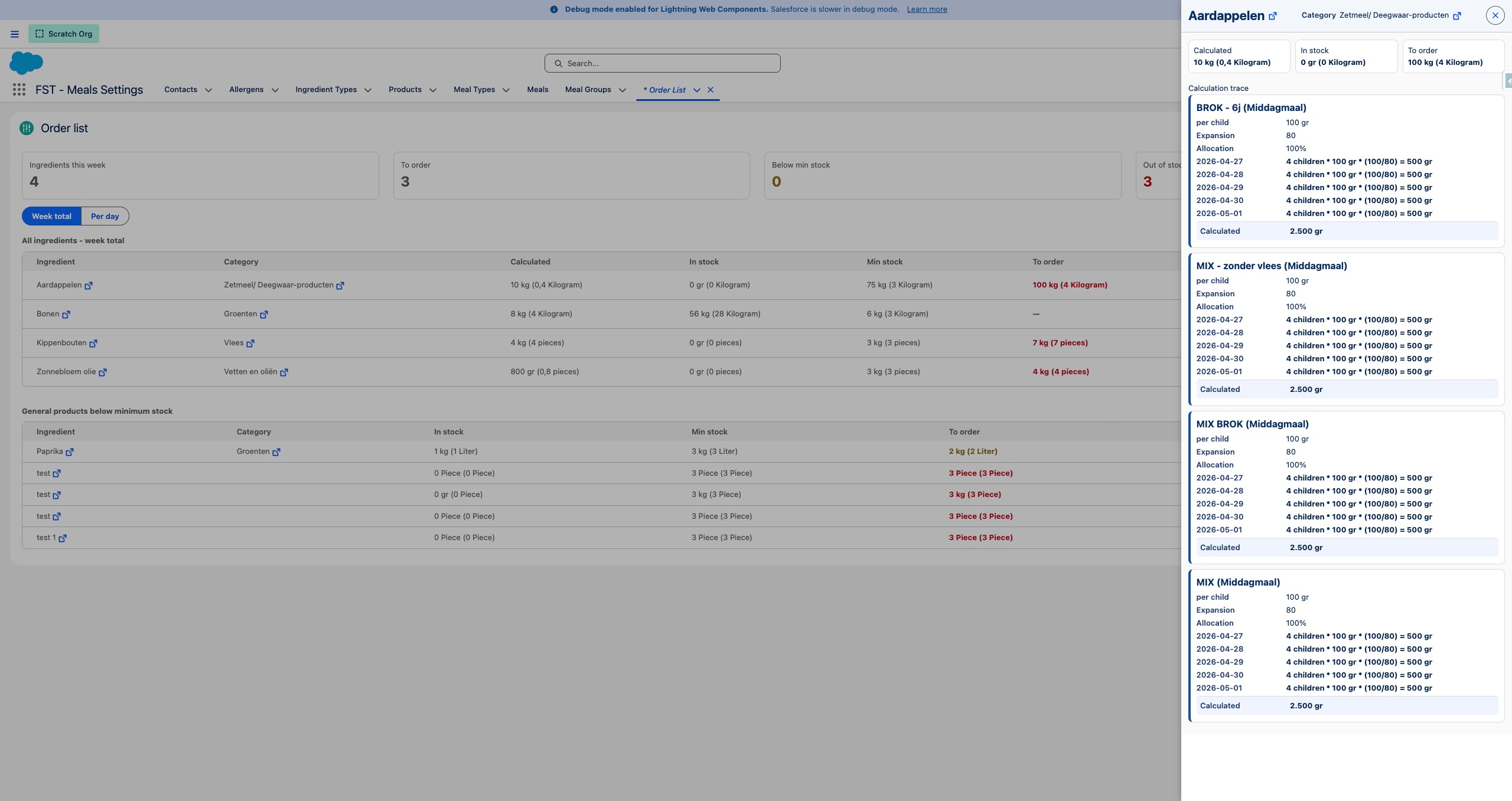
De kop van de bestellijst geeft je een snelle samenvatting van de week: totale ingrediënten, artikelen om te bestellen, producten onder de minimumvoorraad en artikelen die niet op voorraad zijn.
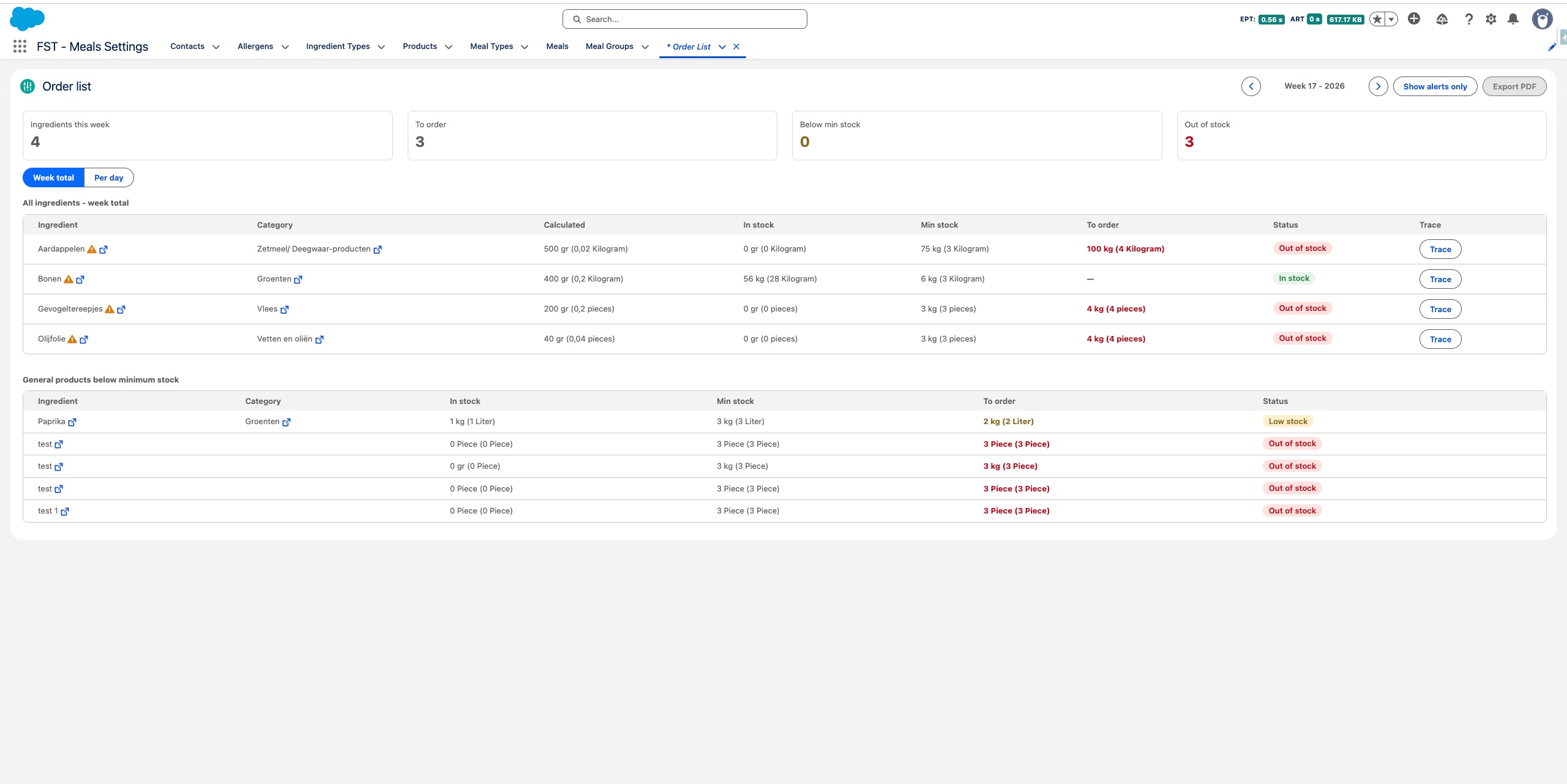
Het middelste gedeelte van de bestellijst toont alle ingediënten die voor de huidige week zijn ingepland, inclusief hun berekende behoefte, huidige voorraden en bestelstatus.
De onderste sectie benadrukt algemene producten die onder hun minimale voorraadgrens zijn gedaald, gemarkeerd voor herbestelling.
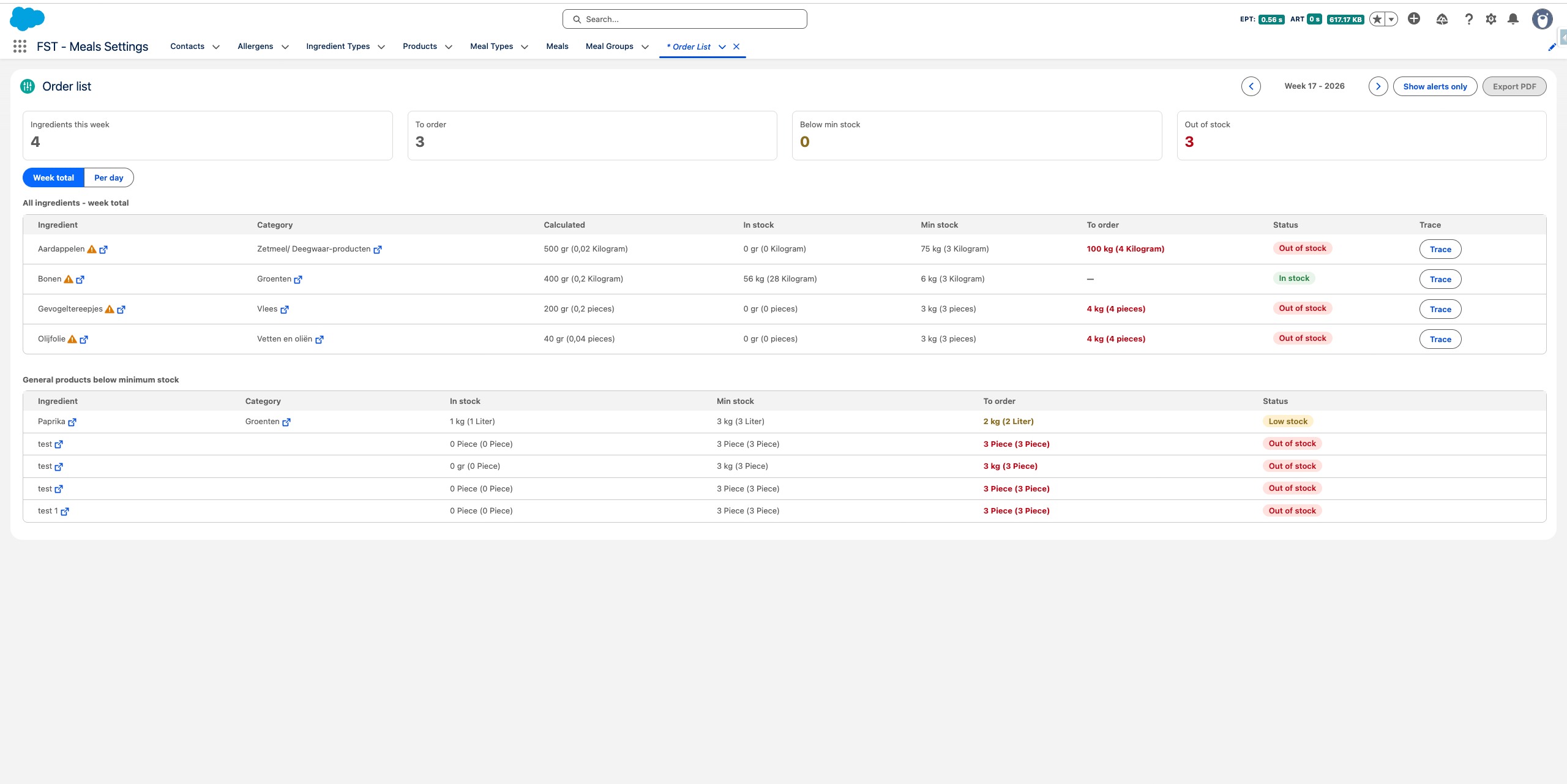
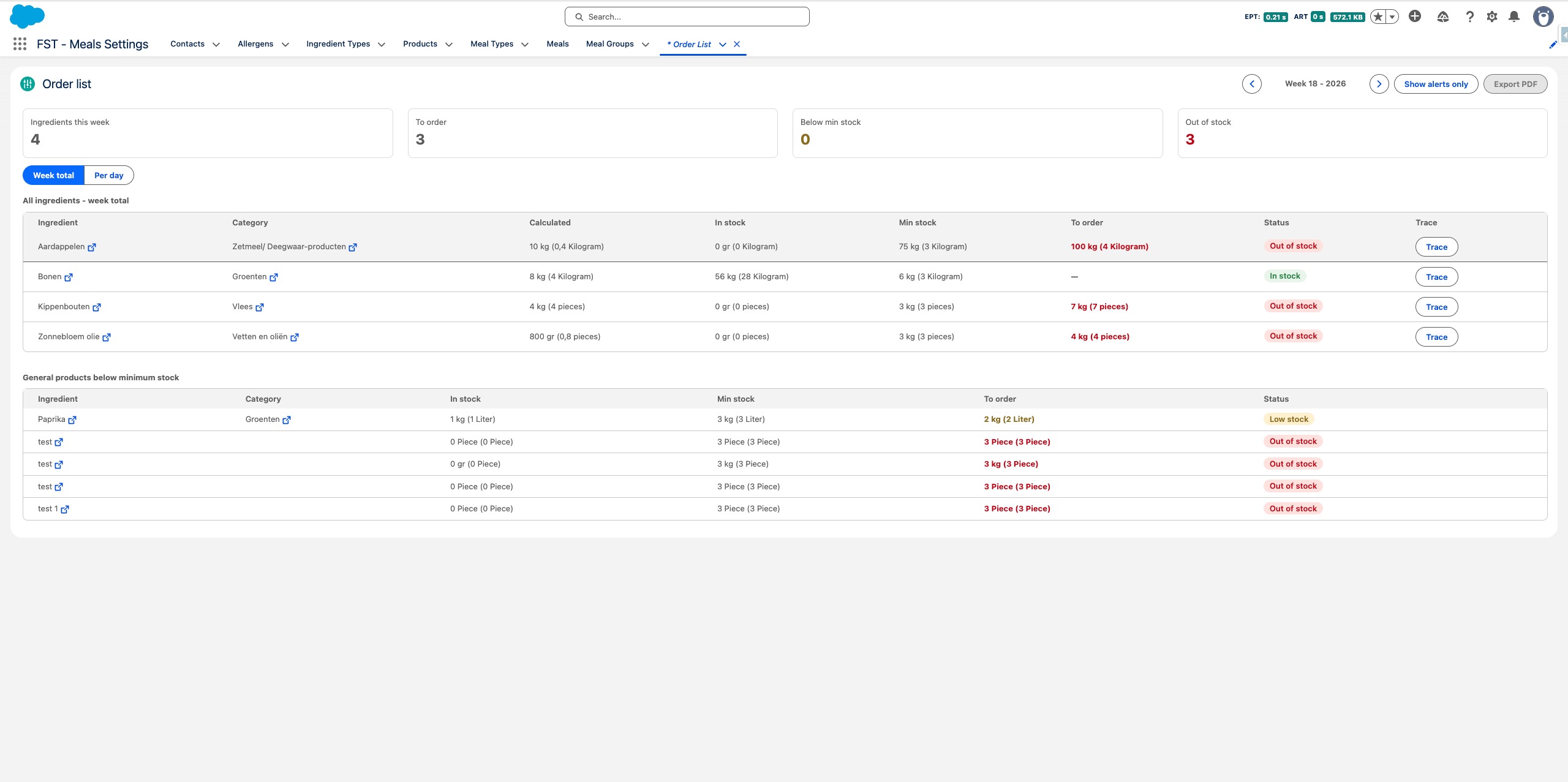
Elke rij toont de berekende wekelijkse behoefte, de huidige voorraad op alle locaties, het gedefinieerde minimale voorraadniveau en de aanbevolen bestelhoeveelheid (wekelijkse behoefte + minimale voorraadbuffer).
Drag to pan
Klik Trace op een product om een gedetailleerde uitsplitsing te openen die laat zien hoe de hoeveelheid is berekend — inclusief per maaltijdgroep, aantal kinderen, portiegroottes en dagelijkse allocaties.
Gebruik de Toon alleen waarschuwingen knop rechtboven om de lijst te filteren en alleen producten weer te geven die aandacht vereisen — en alles te verbergen wat voldoende op voorraad is.